Appointment Reason Laterality
Overview
Right/Left/Bilateral may be captured in the appointment reason description but is not standardized or structured. Outcomes tracking (e.g. mammography) rules engine functions, and other data sharing would be enhanced if laterality was captured as an attribute of the appointment reason.
What's New
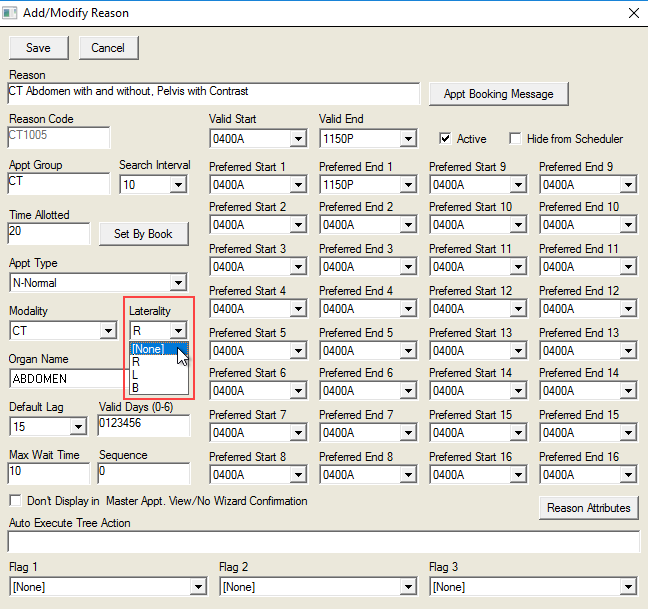
It is now possible to store laterality, when applicable, to MWREASON: R, L, B, (blank). A user can assign laterality to applicable reasons to track outcomes separately for right vs left and assign rules accordingly.
All blank entries (not a required field) are allowed.
Instructions
- Open Workflow Views screen.
- Click the Setup tab.
- Select Appointment Reasons from the dropdown menu.
- Select Appt Group from the dropdown list.
- Select desired Reason Description.
- Click the Modify button to open the Add/Modify Reason screen.
- Select the desired Laterality from the dropdown list: [None], R(ight), L(eft) or B(ilateral).
- Click the Save button.