Zpay Payment Auto Apply
Overview
Some sites don't use the Batch Auto-Apply feature in Guarantor Remittance Processing because they want a Zpay payment applied to charges where the DOS matches the payment date. There's currently no way to guarantee that behavior.
What's New
A setting has been added that gives the option to force auto-applied payments to first attempt to post to balances for the same date.
Instructions
Click the Preferences tab on the Main Menu screen
Select Setup Demographics Tables from the pulldown menu.
Click N Demographics Preferences from the pulldown list to open the Demographics Preferences screen.
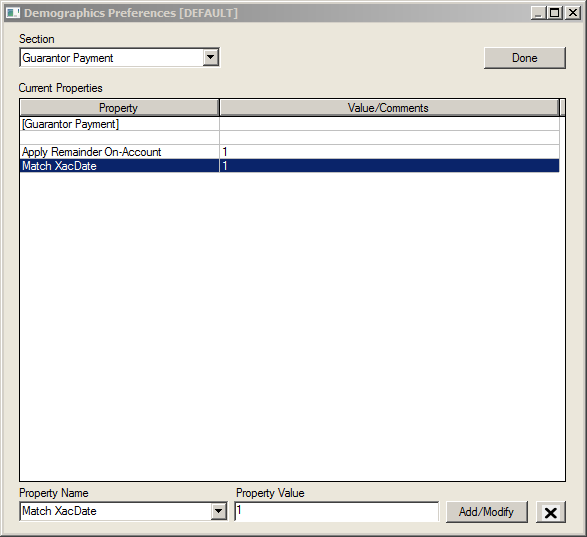
Select Guarantor Payment in the Section field pulldown list.
Select Match XacDate from the Property Value field pulldown list.
Enter 1 in the Property Value field.
Click the Add/Modify button.