Ranking CPT Codes
Overview
Sites who use delayed billing workflow to create charges, verify and modify CPT and ICD codes can rank ICD-10 codes but not CPTs. CPT codes are processed as-is unless a user modifies the charge before submitting the claim.
What's New
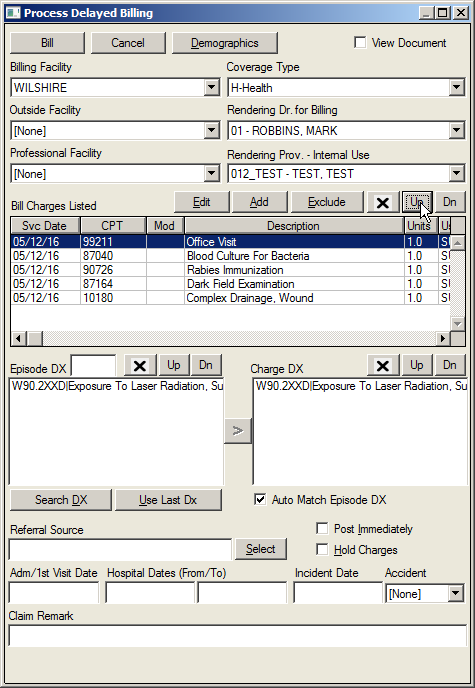
Users are now allowed to rank CPT codes from the Process Delayed Billing screen. A Biller can rearrange CPT codes into the correct order in one step when creating charges before submitting the claim.
NOTE: Ranking is not saved to the database - Ranking is an on-screen process used to rank/re-order charges before saving them.
Instructions:
Open the Process Delayed Billing screen
Select the CPT code to be moved in the Bill Charges Listed field.
Click the Up or Dn button to move the CPT code to the desired location.
If the user closes the screen before saving the charges, the following prompt will appear.
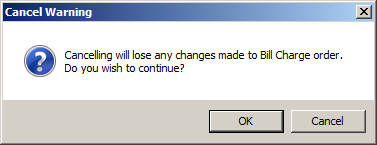
Click OK to close the screen or Cancel to return to the Process Delayed Billing screen.