Font Size for Remit and Payment Views
Overview
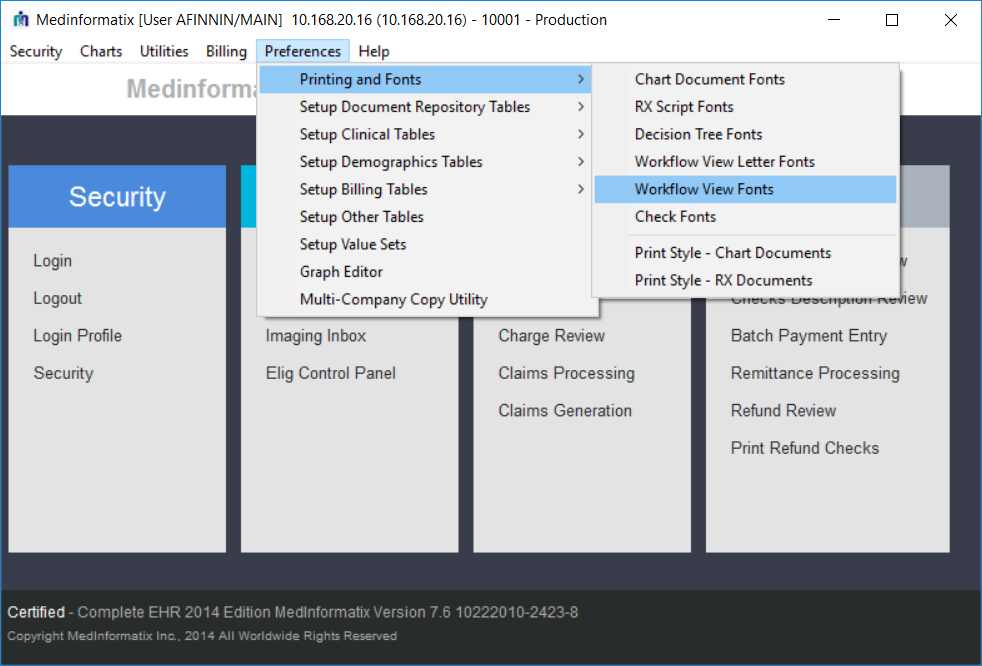
The font size of the Remittance Processing screens defaults to a standard text size that is considered too small for many users. Users have become accustomed to adjusting the font size in Workflow Views.
What’s New
Users can now set their preferred font for workflow views and billing screens with the same setting. A Biller can now control the text size in the screens used to review and process remits and payments.
The column grid controls have been updated on the following screens:
- Main Menu > Remittance Processing >
- Review Remittance Advice
- Review Remittance Advice > Remittance Delete Multiple Check
- Review Remittance Advice > Deny Message
- Process Remittance Advice
- Review Processed Payments
- Review Processed Payments > Deny Message
- Processed Check History
- Main Menu: Billing
- Remittance Advice History
Main Menu > Claims Processing > Payments (Transaction History) #XACVIEW