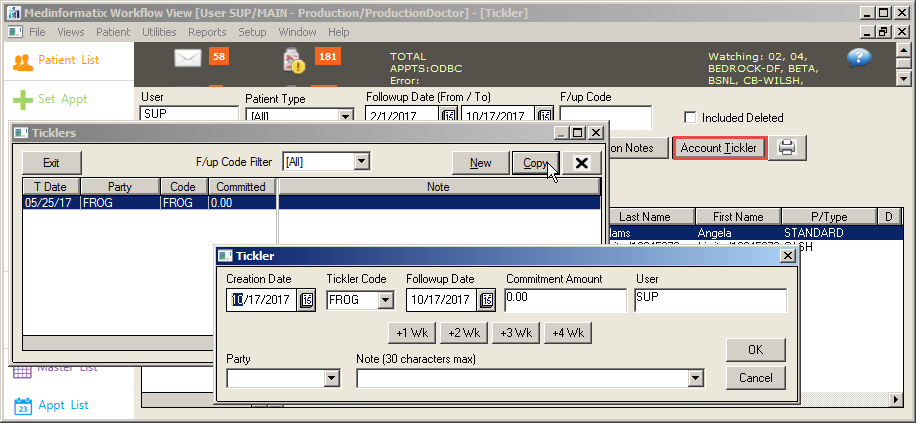
Copy Button in Ticklers Screen
Overview
What's New
The Copy button on the Ticklers screen allows a user to highlight an existing Tickler and create a new Tickler using the source Tickler's information. The new Tickler should not inherit the old Followup Date, but rather the default date for a new Tickler, at which point the user can change it as needed.
Instructions
Click Collection Tickler icon on the Workflow Views menu.
Select an account.
Click the Account Tickler button to open the Ticklers screen.
Click the Copy button on the Ticklers screen to create a new Tickler with a new Followup Date.
Make any desired changes.
Click the OK button.