Auth Security Settings
Overview
The ability to Delete an authorization is a standalone security right but Add/Edit are combined. Enabling "Limited Edit" security rights does not allow access to any auth (via Edit button) or the Auth Review screen when Add/Edit is set to No.
What's New
Auth Add/Edit security rights have been decoupled so they are each stand-alone settings, along with Delete. This setting insures that every appointment has an associated authorization record and every authorization is associated with an appointment so that there are no delays sending claims
-
Staff may Edit authorizations but cannot add new ones.
-
When an authorization record is created for every appointment and there is no need to manually add auths.
-
Users cannot inadvertently click Add instead of Edit after selecting an auth record.
Enable
The new auth settings are accessible in the Workgroup Security Profile settings.
Select the Security option under the Security tab on the Main Menu screen to open the Security Setup screen.
Select the desired user name.
Select the desired Workgroup.
Click the Profile button to open the Workgroup Security Profile screen.
Select Authorizations in the Section dropdown list.
Click Add Authorizations to turn On.
Click Edit Authorizations to turn On.
Click Delete Authorization to turn On.
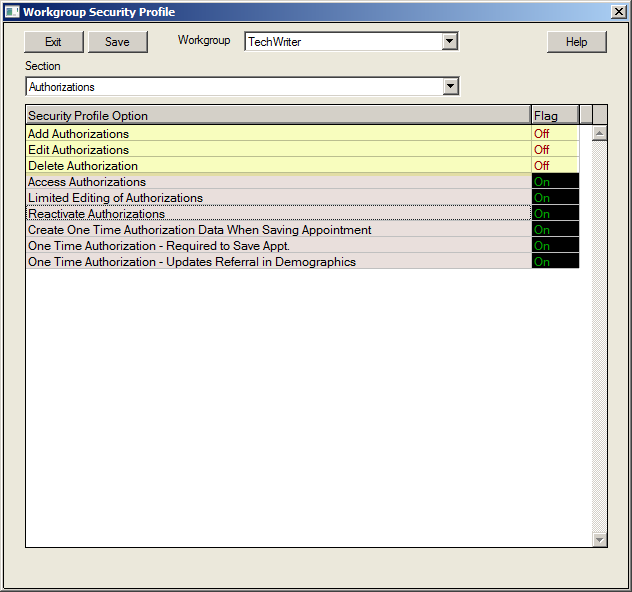
All selections can be turned On or Off independently of each other, depending upon the needs of the user and the workgroup.