Radiologist
Radiologists work almost exclusively from the Orders List in MedInformatix. Each time a technologist finishes an exam the Radiologist receives an order to read the images.
Integration with PACS allows the Radiologist to select a study PACS and have the Decision Tree automatically open in MedInformatix for the same patient and appointment number. Inside the Decision Tree the Radiologist can now review the exam work-ups and notes, record their voice dictation and send an order to the Transcriptionist to type the report.
To Dictate A Report for an Exam
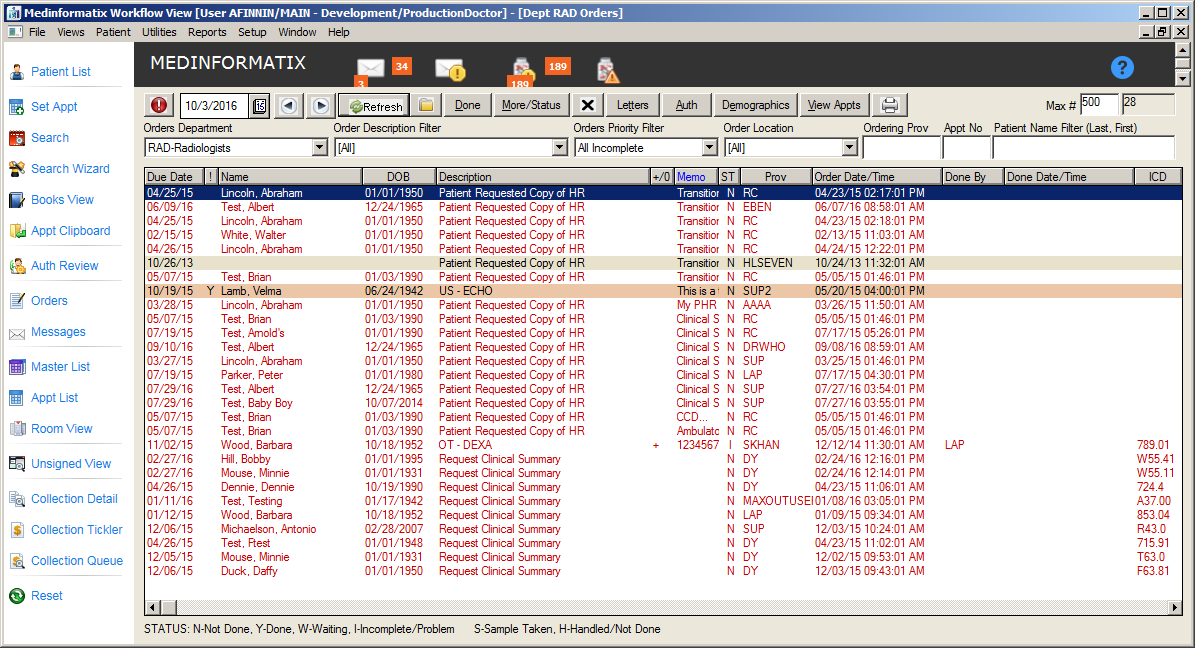
- From the Orders screen, double-click on the order.
Note: ‘STAT’ orders will appear at the top of the orders list and are highlighted in a peach color. Additionally, a ‘Y’ will appear in the Stat (!) column.
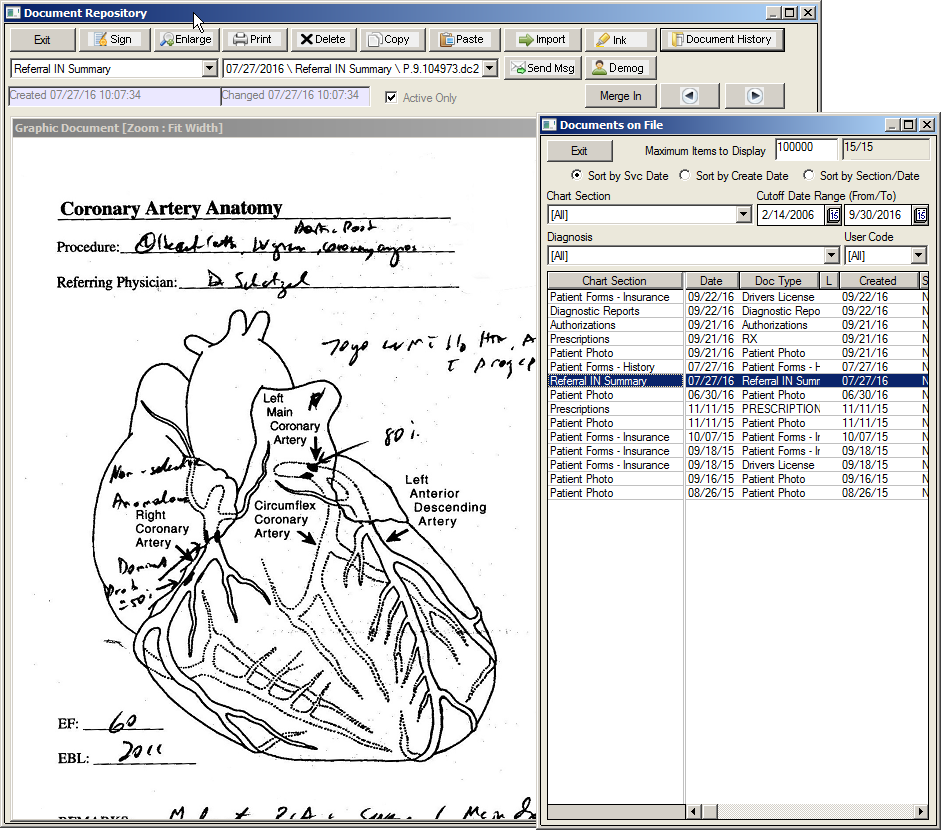
- The patient’s Chart will launch and the Documents on File window will display automatically.
- Click the Dictate button on the top of the window, which will launch a recording utility that displays the patient information for the report to be dictated, mike activity, current progress of dictation, and the current point in time of dictation.
Note: MedInformatix recommends the use of the Philips Speechmike hardware for recording voice dictation. The most current driver for the Speech can be found at the following address: http://www.dictation.philips.com/
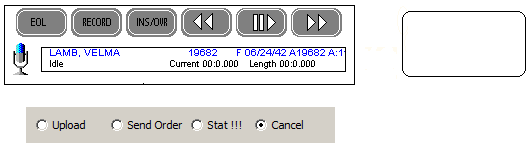
- To start the dictation, click the+ Record button on the microphone.
Button Pressed |
Status |
RECORD |
Record |
Record (Second Time) |
Record Paused |
|
Play |
Play (Second Time) |
Play Paused |
EOL |
End of Line |
INS/OVR |
Advancing |
|
Time for "Current" return to 00:0:000 |


- To close the dictation utility, click the Exit button in the Decision Tree.
Note: Users can also click the EOL button on the Philips Speechmike to exit. Once the Dictation utility is closed, it will automatically send an order to the Transcription Department to type the report. If needed, this feature can be disabled based on the workflow of the facility and a Manual Order to Transcribe branch will be provided in the Radiology Decision Tree. The Radiologist will then have to click on the order to send it to Transcription. Additionally, upon exiting the Dictation utility, the order to the Radiologist is marked as ‘Done’ and removed from the Orders list. This too can be disabled, it the Radiologist prefers to mark each order done manually.