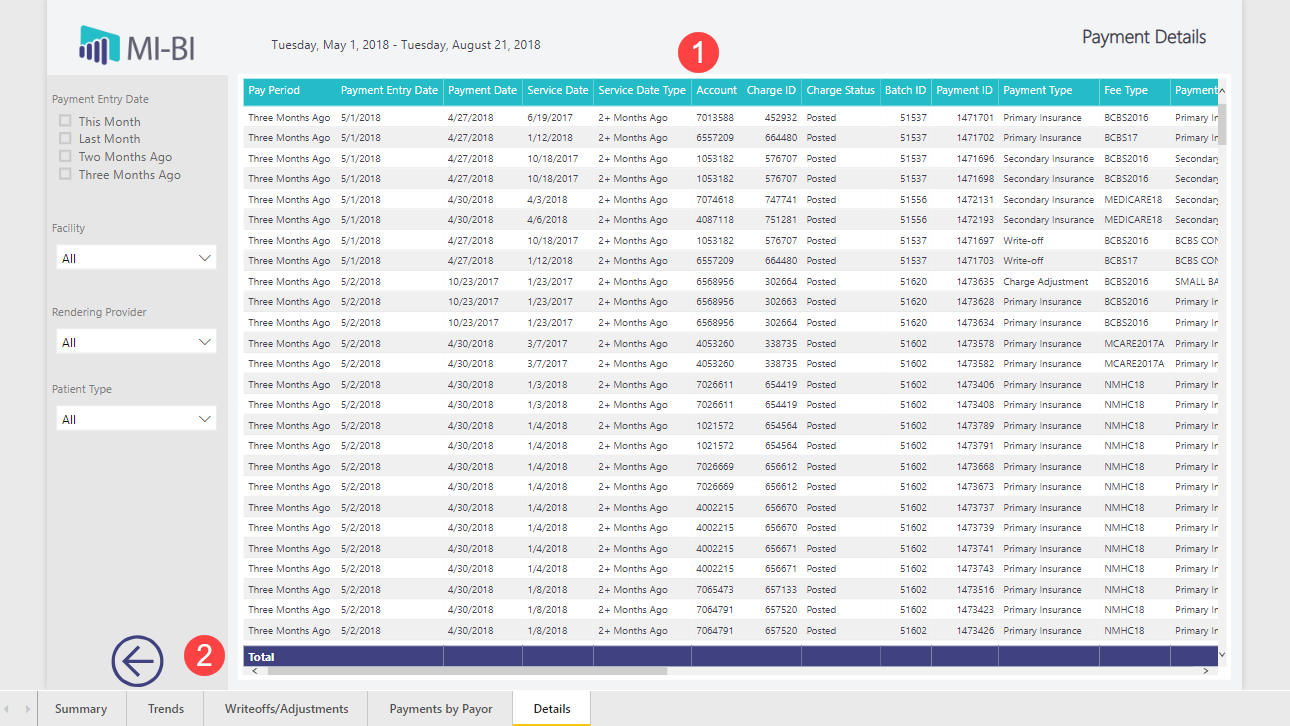
Compare payment activity for the past 4 months by payment entry date.
Use page slicers to filter data.
Date slicers apply filters only to that page; other slicers sync between pages.
Click MI-BI logo to reset to default settings.
Hover or click on specific charts and graphs for tooltips with summary information.
Cross-filterby clicking in charts to change the other visuals on the same page.
Charge/Payment detailsare available on the last page of the report, “Charge/Payment Details”, by right-clicking in the table/grid or within one of the charts and selecting “drillthrough”.
Right-click options include:
Drillthroughtakes you to a page with standard slicers to filter data.
Show datadisplays details on the same page.
See recordstakes you to a new page without sorting or filter capabilities.
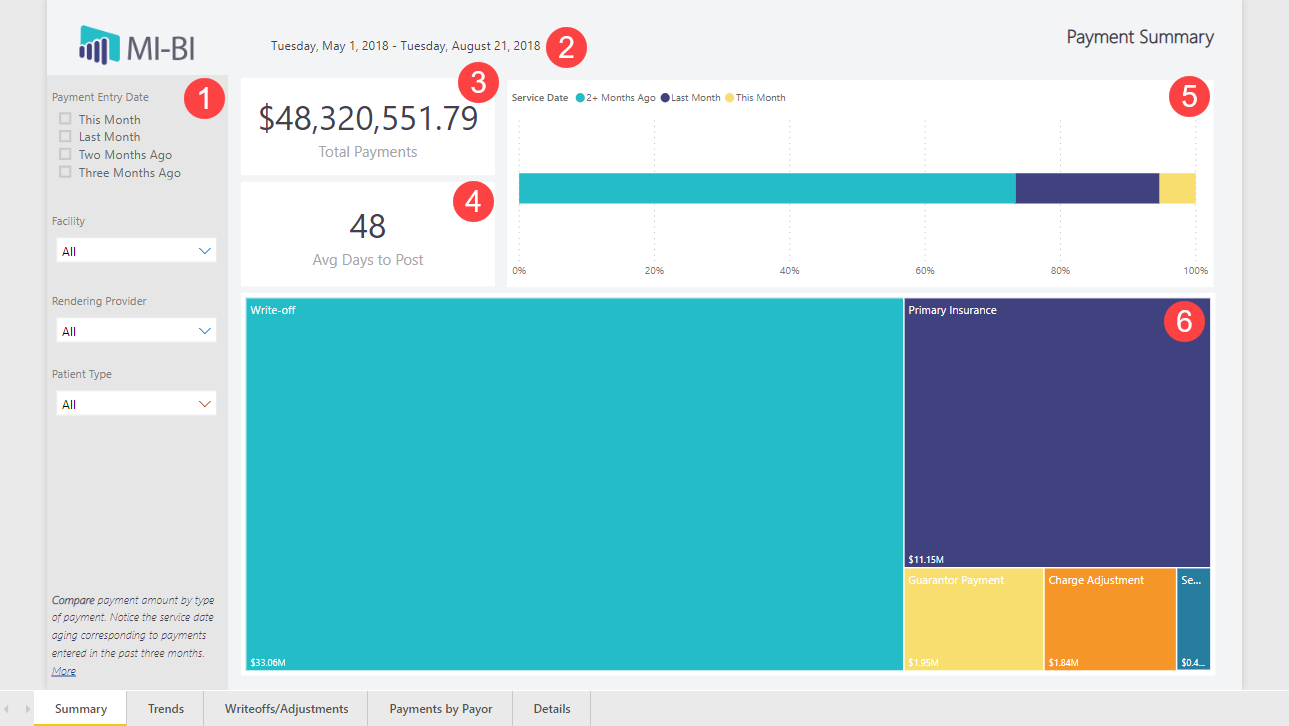
Payment Summary
Use page slicers to filter by one or more attributes.
Daterange included in this report based on payment entry date.
Total Payment amount posted within date range.
Average number of Days to Post between service date and payment entry date.
Total payments posted is categorized by Service Date (month) to show the dollar amount captured in relation to the service date.
Visualize the proportion of Payments by Patient Type. Cross-filter by clicking a Patient Type to update the rest of the page.
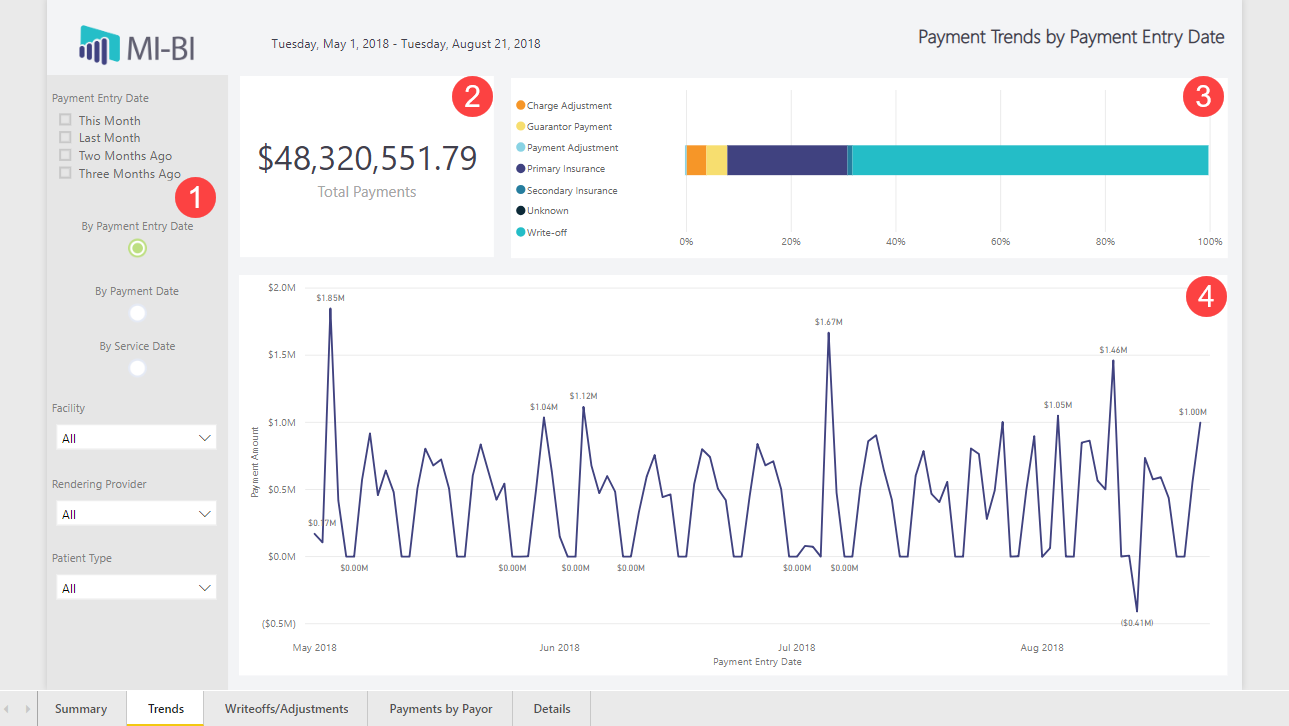
Payment Trends
Use the bookmark to toggle report by Payment Entry Date, Payment Date, or Service Date.
Total Payment amount posted within date range.
Compare payment posted by paymenttype.
Review payment amount by entry date over time
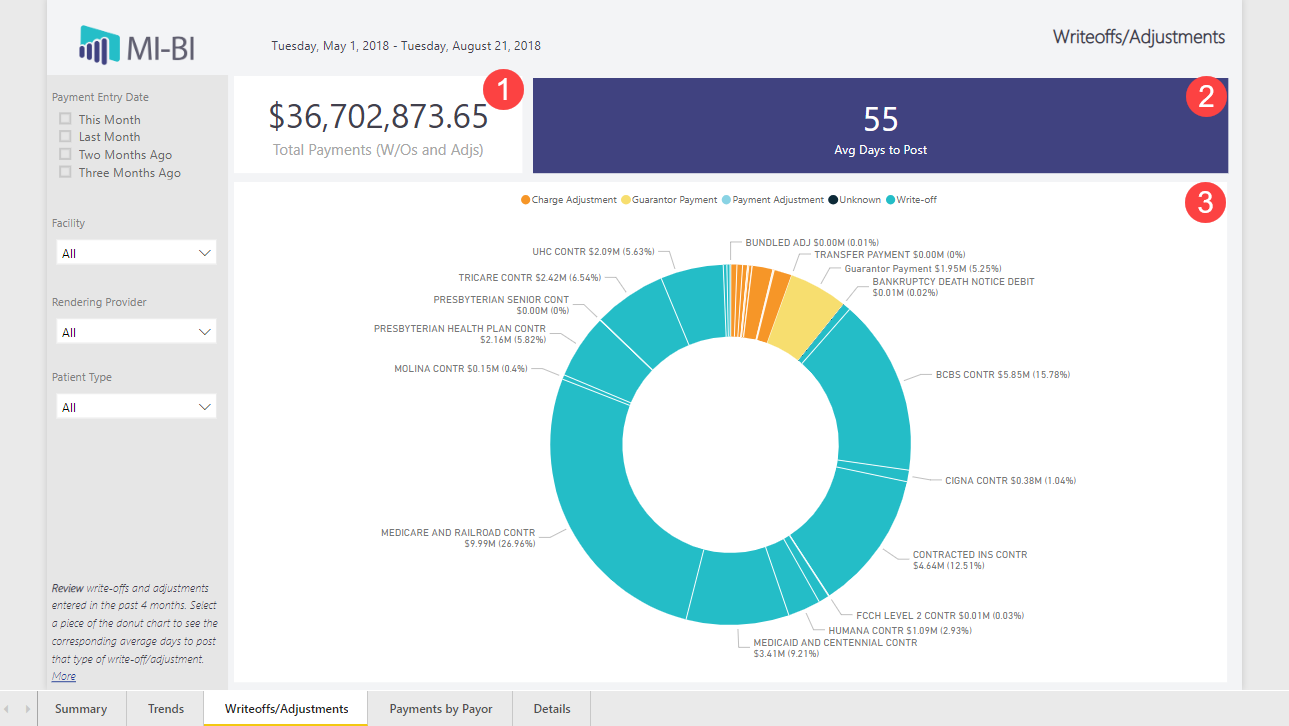
Write-offs/Adjustments
Total amount of Write-offs and Adjustments entered in the past four months.
Average number of days to post write-offs and/or adjustments from the service date.
Review proportion of payments by payment type and description. Cross-filter by clicking a payment type or description to update the rest of the page.
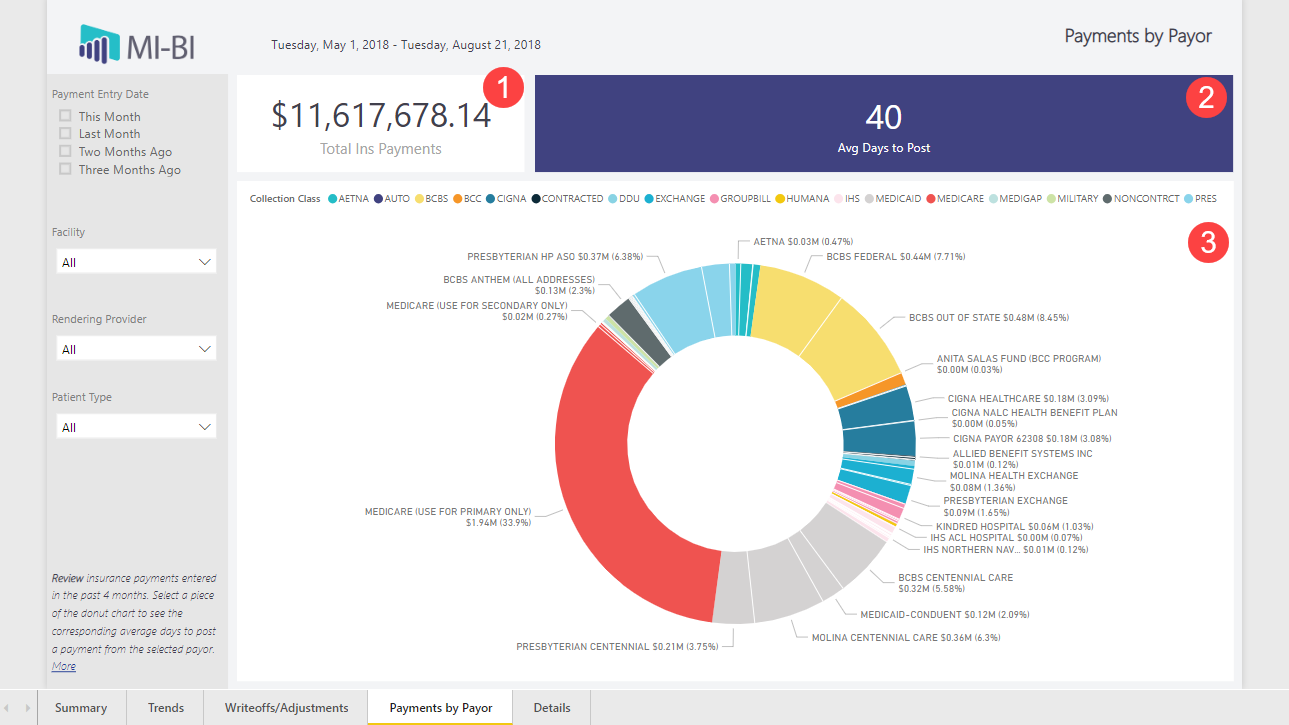
Payments by Payor
Total amount of insurance payments.
Average number of days to post insurance payments from service date.
Review proportion of payments by Collection Class and Payer. Cross-filter by clicking a class or insurance carrier to update the rest of the page.
Payment Details
Shows exam-level detail of the underlying data for the preceding reports. Most useful when the drill through feature is used to focus on a specific subset of data. Click on a column header to sort by any column.