BINDING OTP METHODS
Binding an OTP method is part of the registration process and is REQUIRED in order to proceed with registration.
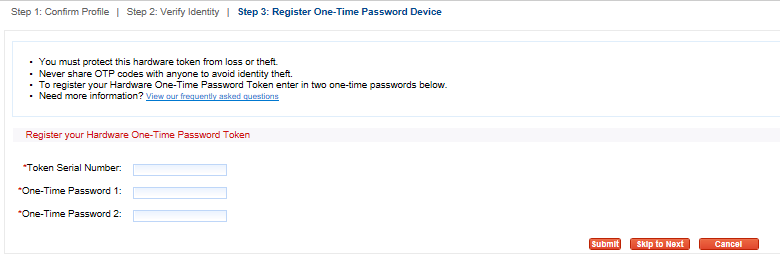
Hardware Token (fob) The hardware token (fob) is an option for the provider to recieive an OTP. Each provider will receive one FREE hardware token (fob) as part of the Exostar registration process.
- Enter the full serial number found on the back of the hardware token (fob).
- Press the button to enter the first password (One-Time Password 1).
- Count to 10.
- Press the button a second time and enter the second password (One-Time Password 2).
- Select ‘Submit’
Authy App The Authy App is an option for the provider to recieive an OTP. It should be downloaded on the Prescribers cell phone prior to the EPCS Registration.
- Enter the cell phone number.
- Select ‘Register Phone’.
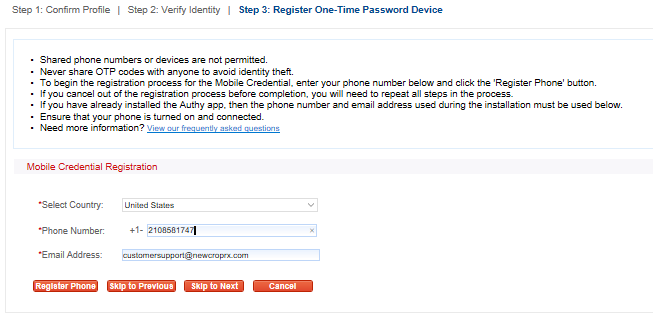
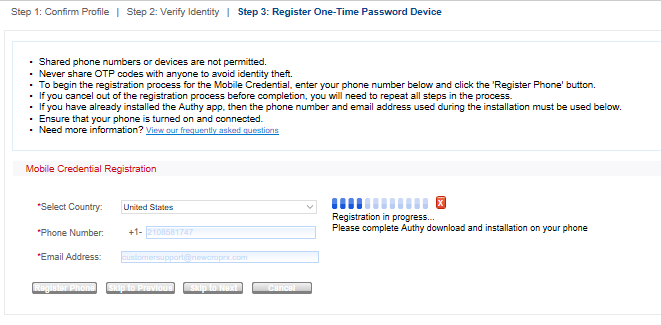
Once the Authy App is opened on the phone, select the red X on the computer screen. If the Authy App has not yet downloaded, the provider will receive a text message with a link to download the Authy App after the red X is selected.
The Authy App icon 
Enter the country code, phone number and email address.
Select the red X and enter the 6 digit passcode from the Authy App
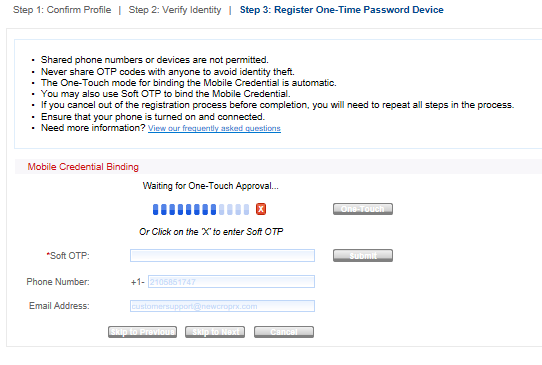
Select ‘Submit’
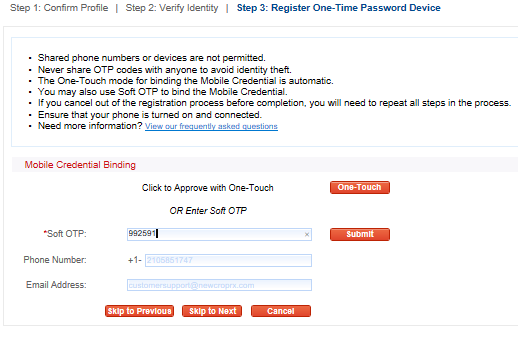
A confirmation will display indicating that the Authy App is bound to the profile. Select ‘Complete’.

EXOSTAR OTP METHODS
Per DEA regulation, text message, voice message and emails are no longer valid OTP methods.
EXOSTAR ONLY ALLOWS TWO METHODS OF RECEIVING AN OTP
- Authy App
- Hardware Token (fob)