8 – ADD A DIAGNOSIS TO A PRESCRIPTION
NEW IN V7.7
Diagnosis codes are now REQUIRED for all Medications
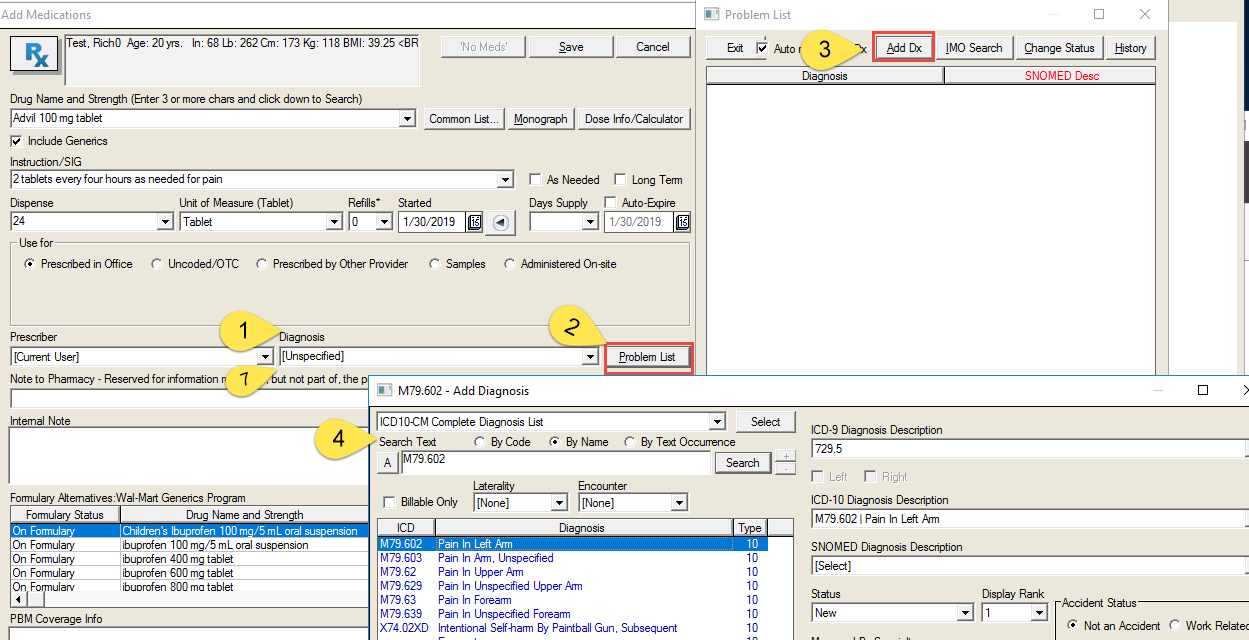
- Select diagnosis from the dropdown. This is populated from active diagnosis codes in the Problem List.
- If a different diagnosis is required, select ‘Problem List’.
- Select ‘Add Dx’.
- Select the ‘Search Text’ option desired to search for the diagnosis.
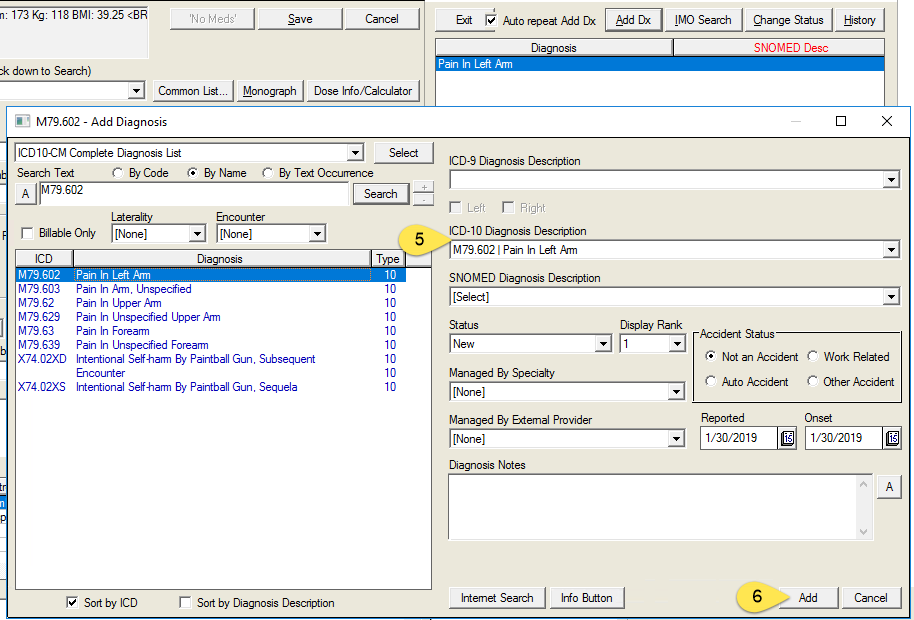
- Select the diagnosis
- Select ‘Save’
- In the ‘Add Medication’ screen, select the diagnosis from the dropdown.
- Prescriptions will not save, if the diagnosis is not present.
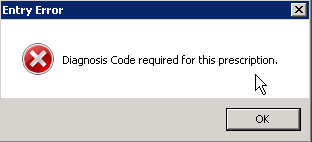
- This applies to new and renewal (refill) medications.