19 – PRESCRIPTION PRINTING
Must be completed on each workstation.
Navigate to a Test Patient Chart
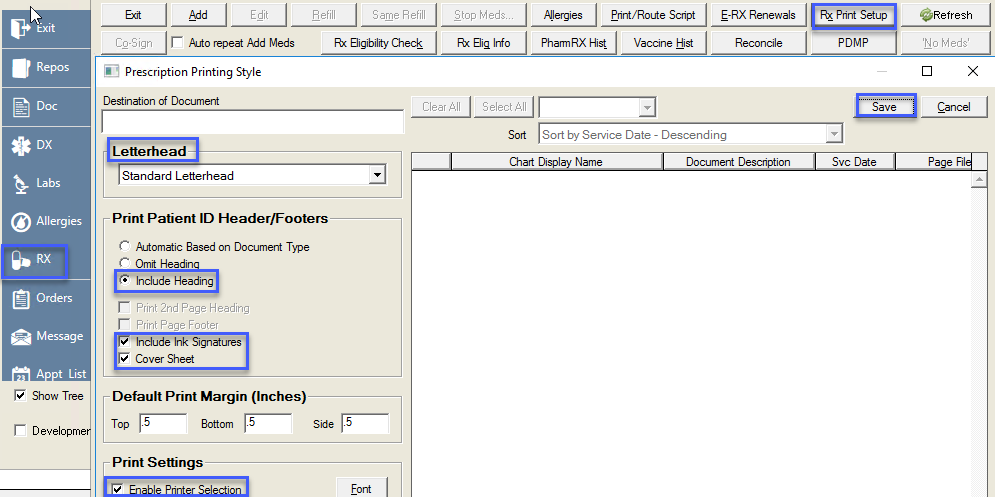
Select ‘Rx’ from the toolbar
In the ‘Medications History’ screen
- Select ‘Rx Print Setup’ Select the appropriate Letterhead from the dropdown
- Select ‘Include Heading’
- Select ‘Include Ink Signatures’ – optional
- Select ‘Cover Sheet’ - optional
- Select ‘Enable Pinter Selection’
- Select ‘Save’
Test the print by printing a test prescription.